Google Find Hub and Gemini help users locate important documents without tags
Google is enabling Android users to store locations for untagged items like passports using the Find Hub app and Gemini assistant.
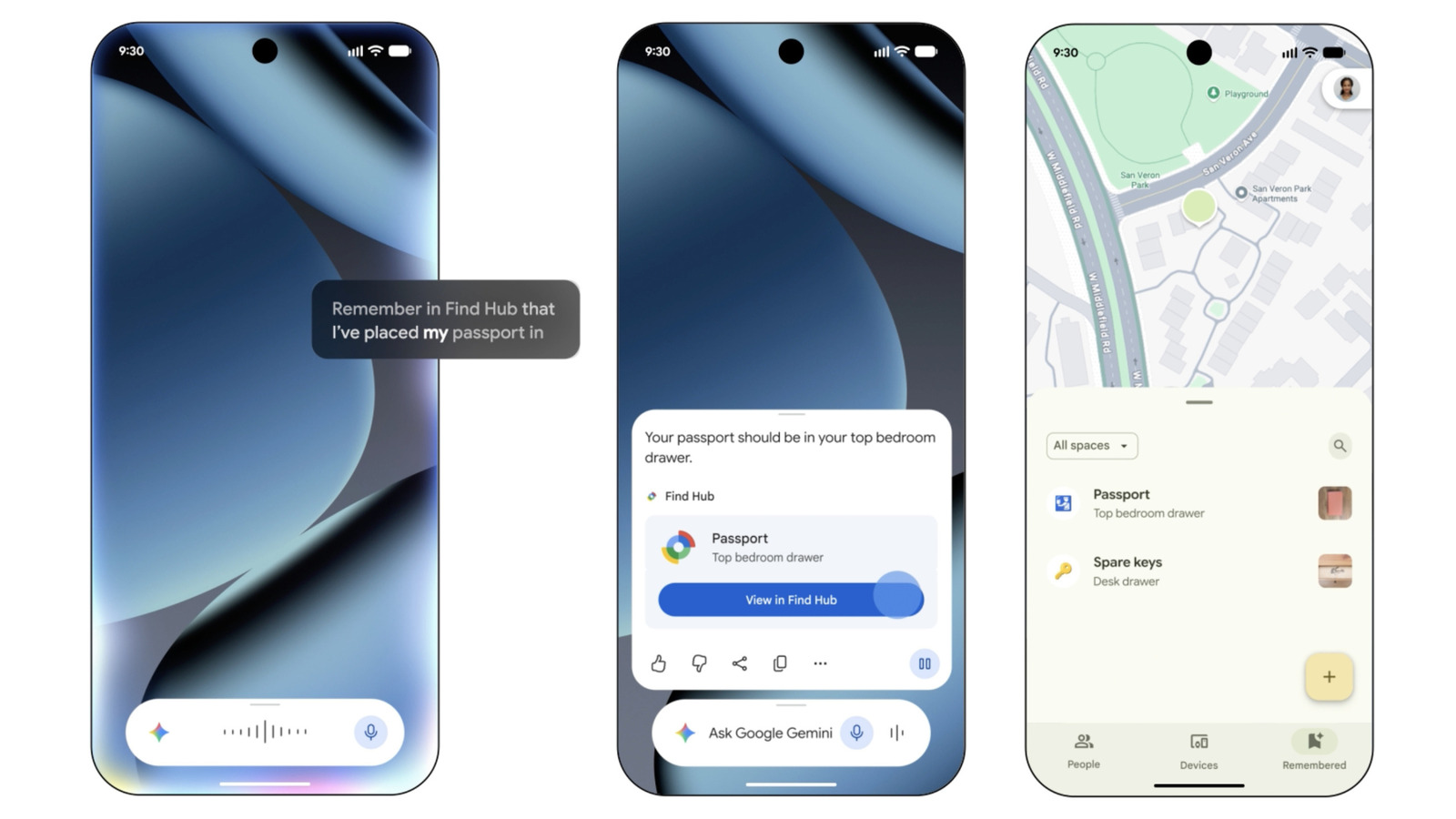
Enabling the location service
Users must first ensure the Find Hub feature is active on their device. This setup involves downloading the specific app or navigating to settings within the Google application.
Selecting the digital assistant
The process requires setting Gemini as the default digital assistant through the Google app interface. Once this configuration is complete, the system can link voice commands to location storage.
Adding item locations
Owners can instruct Gemini to save where they keep items like birth certificates or social security cards. The assistant confirms when it has recorded the new location in the Find Hub database.
Reported by one outlet
Only one outlet has published this. Nothing here has been checked against a second report, so read it as that outlet's account and follow the link below for the original.
Reported by
1 independent outlet. Headline as published. Links open the original report.