Amazon users can now view and edit their personal profile pages
Amazon has introduced a feature allowing customers to access and modify the specific details the company uses for personalization.
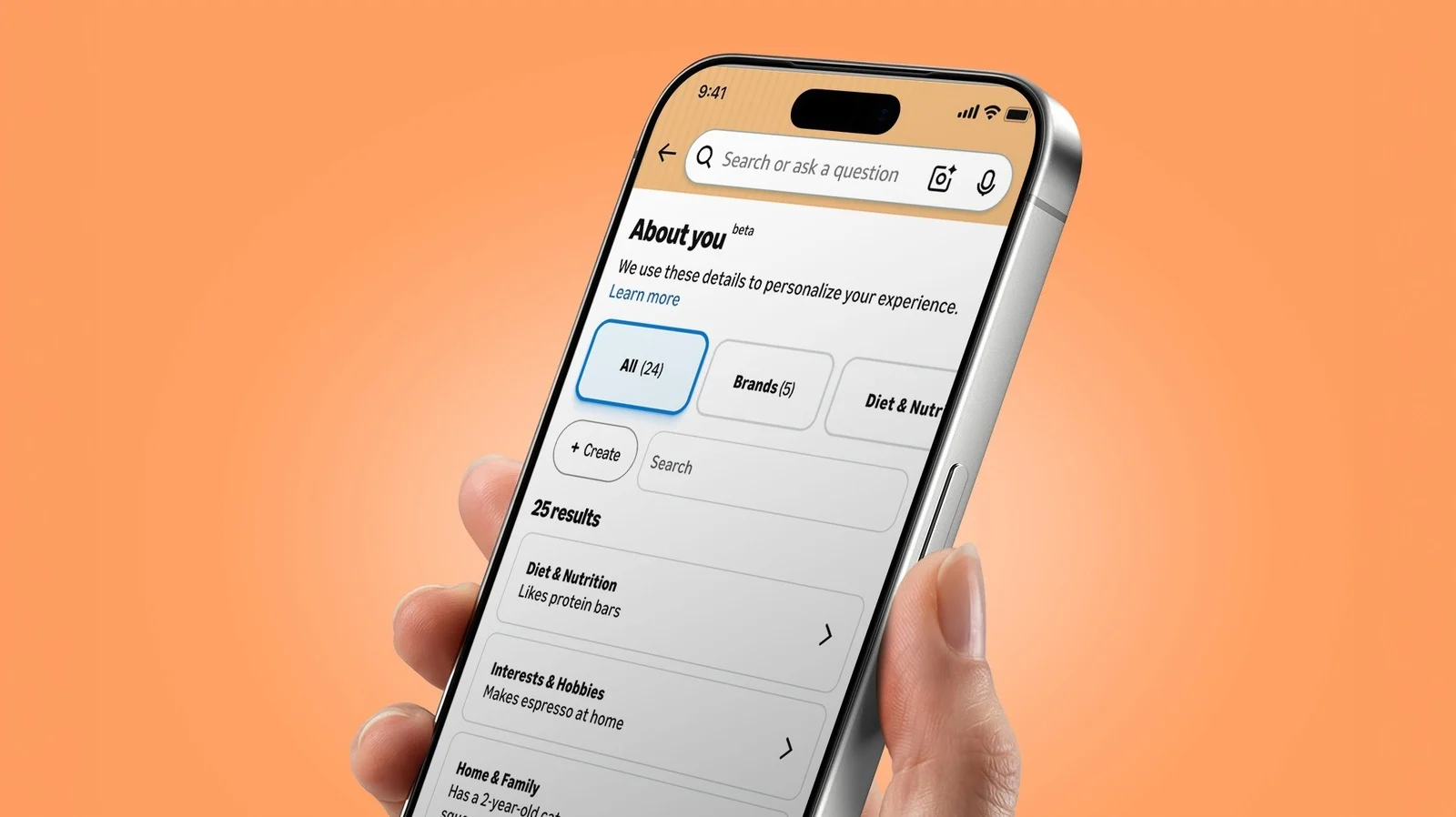
Accessing the new profile page
Users on mobile devices can find this information by tapping their name in the Me tab. Web visitors navigate to the Account section under ordering and shopping preferences to view the data. The system also responds to voice commands from Alexa for Shopping.
Examples of collected observations
Screenshots shared online show notes describing physical traits like flat buttocks or owning mismatched trash bins. Some entries list simple facts such as having a mother or receiving boxes from the retailer. These specific details form a dossier that Amazon uses to tailor the shopping experience.
Steps to edit your data
Visitors can select the About You option to review the current list of preferences. The interface allows users to change or remove information they do not wish to display. Editing these notes gives shoppers control over how Amazon represents them.
Reported by one outlet
Only one outlet has published this. Nothing here has been checked against a second report, so read it as that outlet's account and follow the link below for the original.
Reported by
1 independent outlet. Headline as published. Links open the original report.